
AAC devices
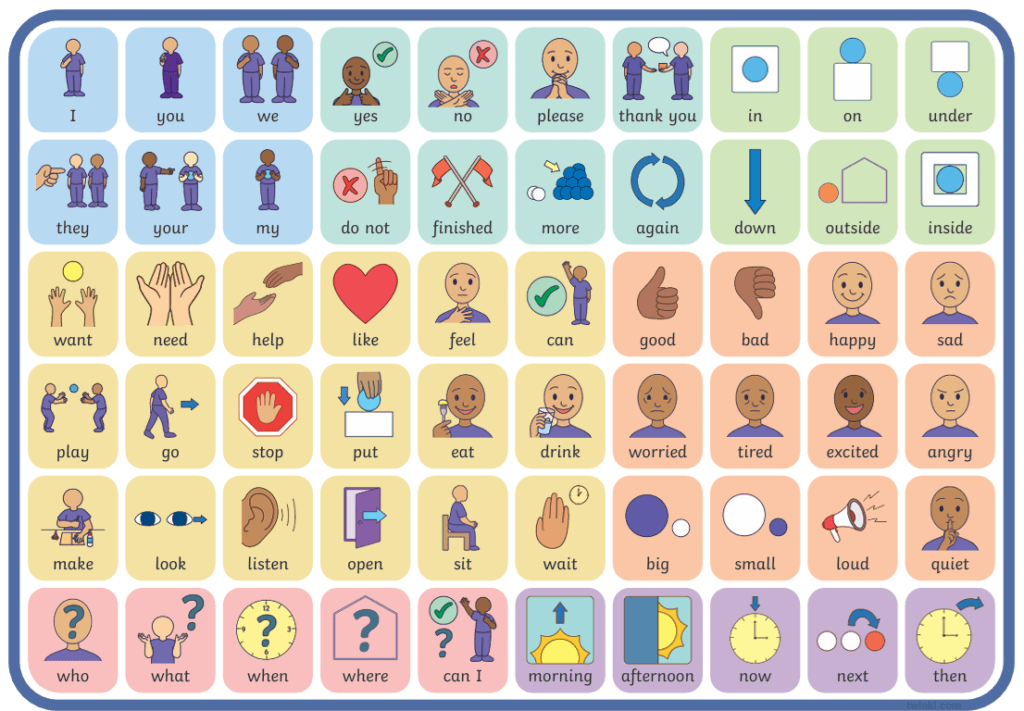
Augmentative and Alternative Communication (AAC) devices are designed to help with communication and include picture boards (PECs) and electronic devices.
ASN schools will use these to help the children communicate, and some of the common phrases, along with Makaton signs, may be found in mainstream schools.
Electronic AAC devices can be borrowed from Speech and Language Therapy (SALT) to help you decide if it is right for your child before buying your own device. SALT can also give advice on using the devices, and PECs even if they have not provided them. This approach may not be right for every child but many parents have had success with their child being able to communicate their needs;and also build association between the word and the action.
Tips:
- There is an element of trial and error with your child to add enough options without overwhelming them.
- It is easiest to keep it to simple requests to begin with, e.g. I want biscuit. Once they are confident using the device you can then expand the request with extra words, such as I want 2 biscuits please
- You can add pictures and make these personal to your child, e.g. instead of having a generic picture of a school you can add their school, their classroom etc. For food items you can use the picture of their cup and plate instead of generic ones, the exact yoghurts you have etc to build familiarity.
- It can take time to get used to the device, and use it regularly to communicate. It will require modelling of how to use the symbols, and it’s also helpful to have consistency with nursery or school to build understanding of the symbols and how to use them.
- There are numerous YouTube videos with tips on using the apps, or the app developers run courses of can be contacted directly for help. There is also a course called More than Words which used to be run by SALT; this can also be accessed online although it is expensive: https://www.londoncommunicationclinic.com/hanen-programs
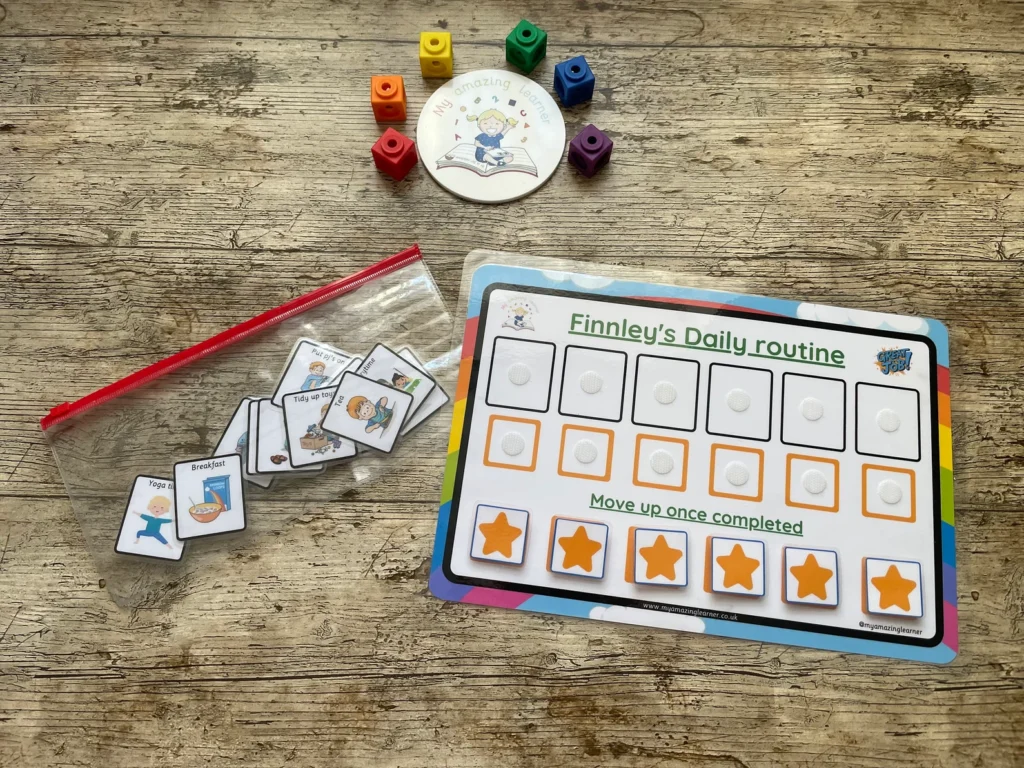
PECS are physical story boards which can be used in a range of situations. These may be general communication, situations like transitions, now and next, planning activities for that day or week, or emotions.
If your child receives SALT input through their nursery or school the therapist should be able to create specific PECs board for them to suit the situations they are in (such as I don’t understand, need help, it’s too noisy).
Some sites recommended for having a range of images, or being good quality are:
- ASD Bright Ideas: have products to buy but also do instructional videos on how to use them: https://www.facebook.com/ASDBrightIdeas
- My Amazing Learner: noted for being particularly durable compared to other brands: https://www.etsy.com/uk/shop/MyAmazingLearner
- Twinkl: online resource for worksheets etc but also has many AAC symbols. Membership to the site is required: https://www.twinkl.co.uk/symbols
- Grid player: free AAC app that can be personalised. Less functionality than the other apps listed below but as it is free it may be a good starting point. Only available on Apple devices such as an ipad: https://www.my-therappy.co.uk/app/grid-player
- Proloquo2Go: this is an AAC app that can be personalised. Only available on Apple devices such as an ipad: https://www.assistiveware.com/products/proloquo2go
- TD Snap: this is an AAC app that can be personalised. Only available on Apple devices such as an ipad: https://uk.tobiidynavox.com/products/td-snap. There is an accompanying app called Pathways which has a step by step guide to implementing TD Snap, and also has a section you can put in targets and goals and then it’ll help you work towards this. It’s even got lesson plans. E.g. say you were working on the word ‘go’ it gives you a virtual book with the word go to read together. Games to play. Shows you how to model it etc: https://ca.tobiidynavox.com/blogs/support-articles/what-is-pathways-for-td-snap-and-why-is-it-important-different